Add groups to your subscription
Add calculator groups to your active subscription and pay the prorated charge with your saved card.
Before you start
- You need an active subscription. See Buy calculator groups.
- Your subscription must not be past due or set to end. Fix either in Billing first.
- You need a saved payment method.
Steps
-
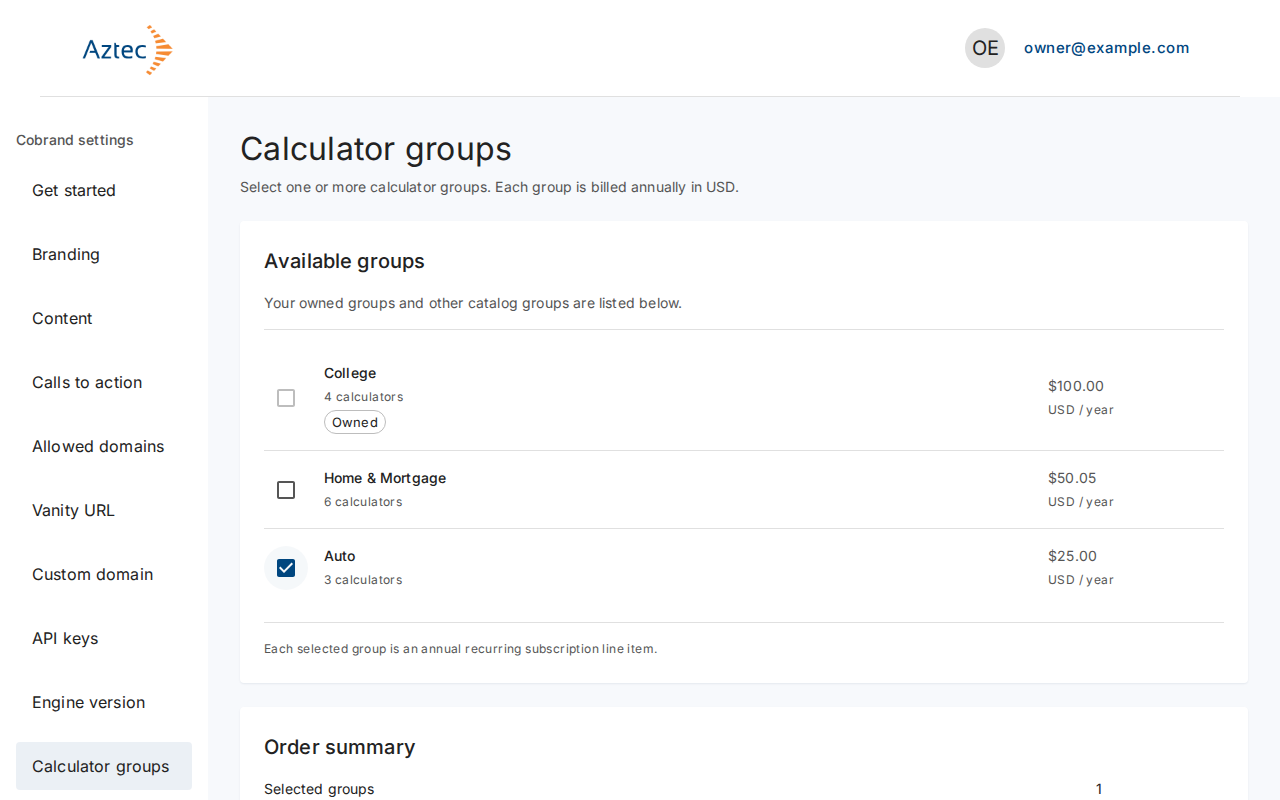
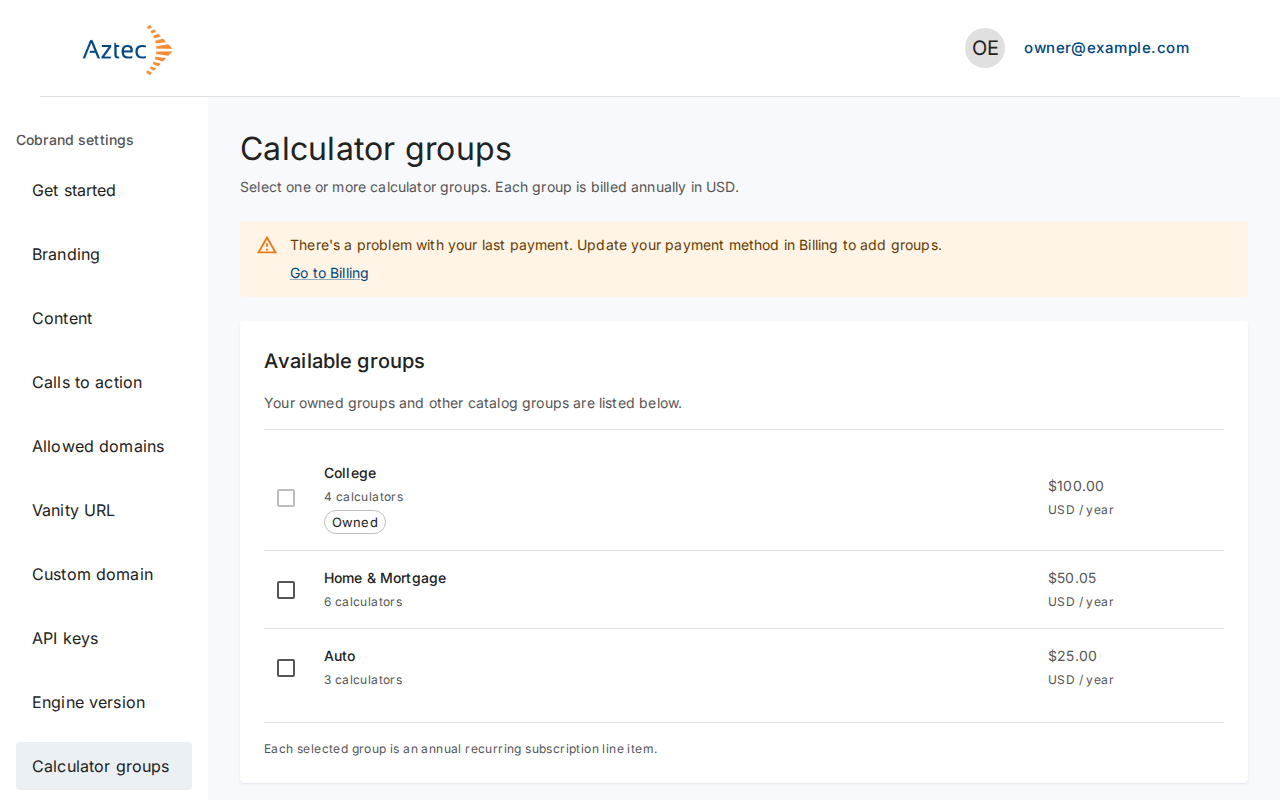
In the left menu, select Calculator groups. Groups you already own show Owned and you can't select them.
-
Tick the group to add.
-
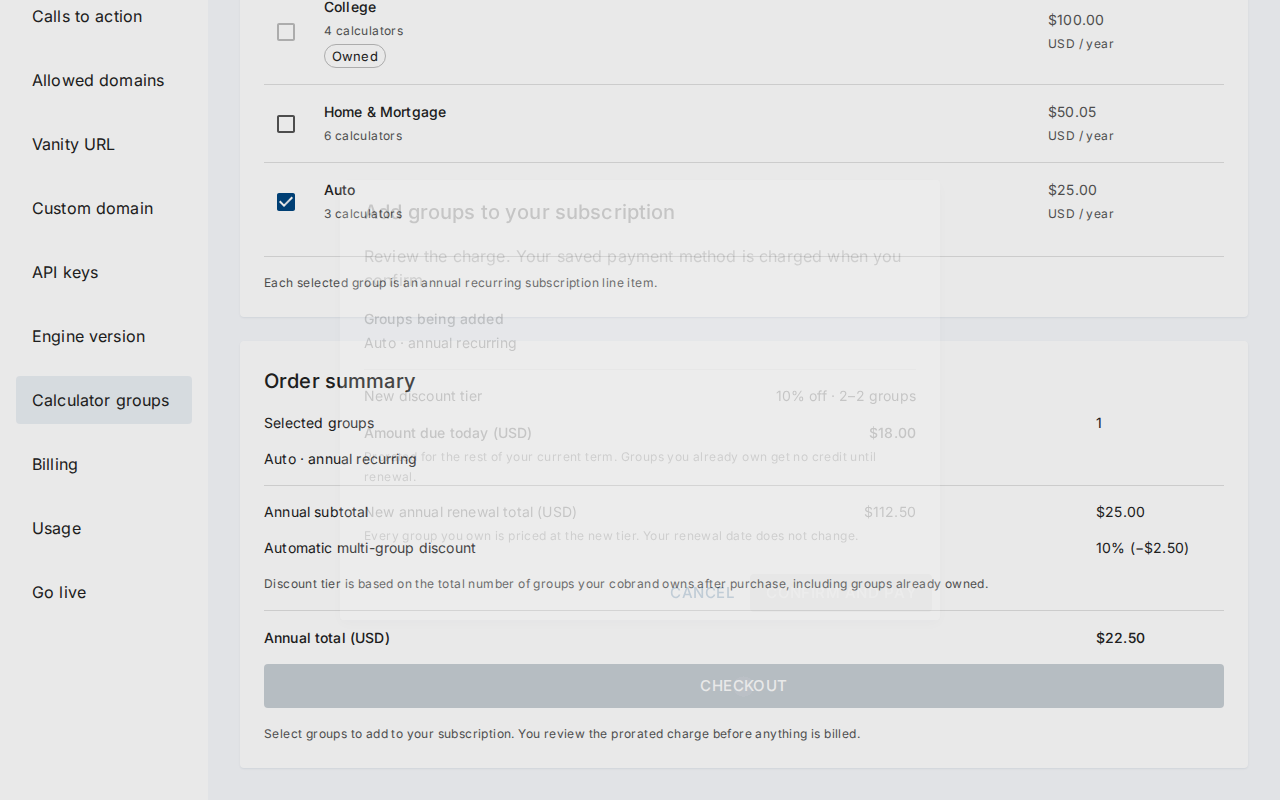
Select Checkout. The Add groups to your subscription dialog opens.
-
Review Groups to add, New discount tier, Amount due today (USD) and New annual renewal total (USD). Your renewal date does not change.
-
Select Confirm and pay. Select Cancel to leave without paying.
What you see when it works
The dialog closes and the new groups show Activating…. Activation can take a few minutes. Refresh the page to check.
Troubleshooting
-
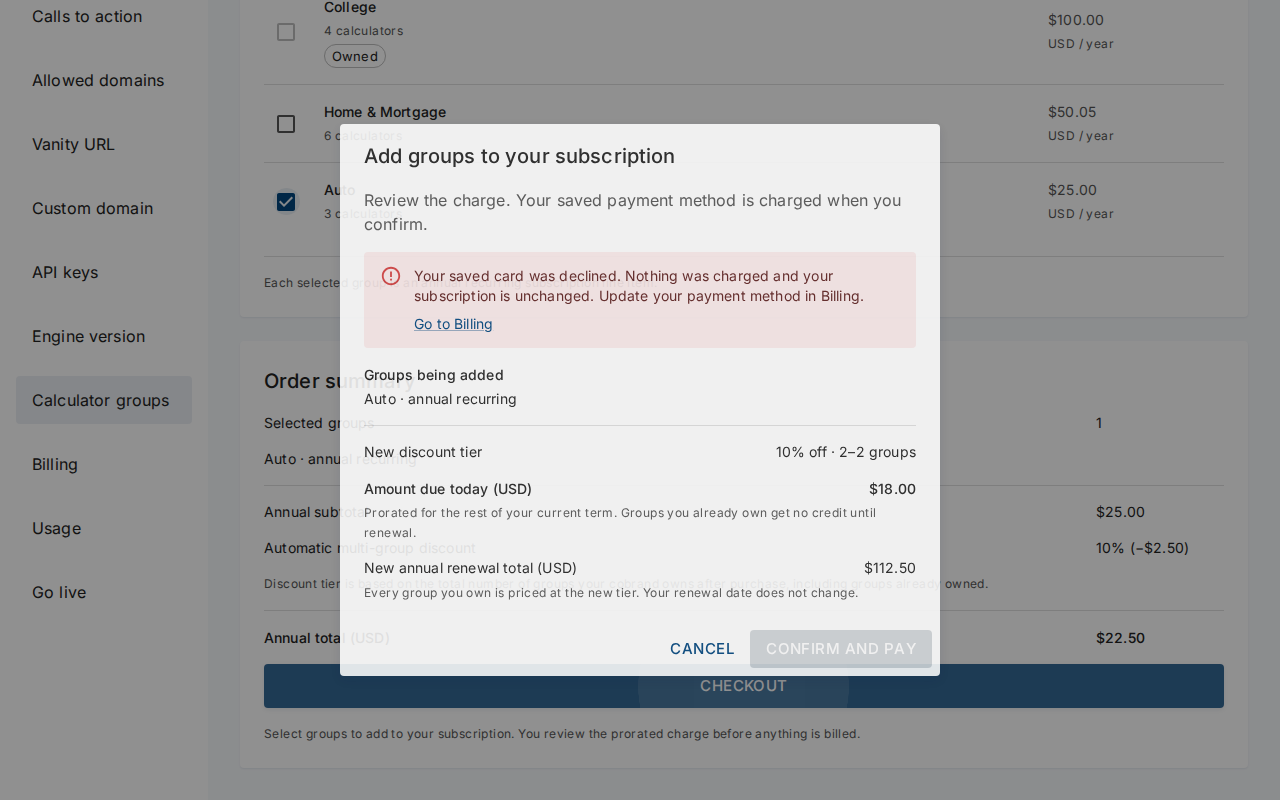
Your saved card declined. The portal takes no payment. Update your payment method in Billing, then try again.
-
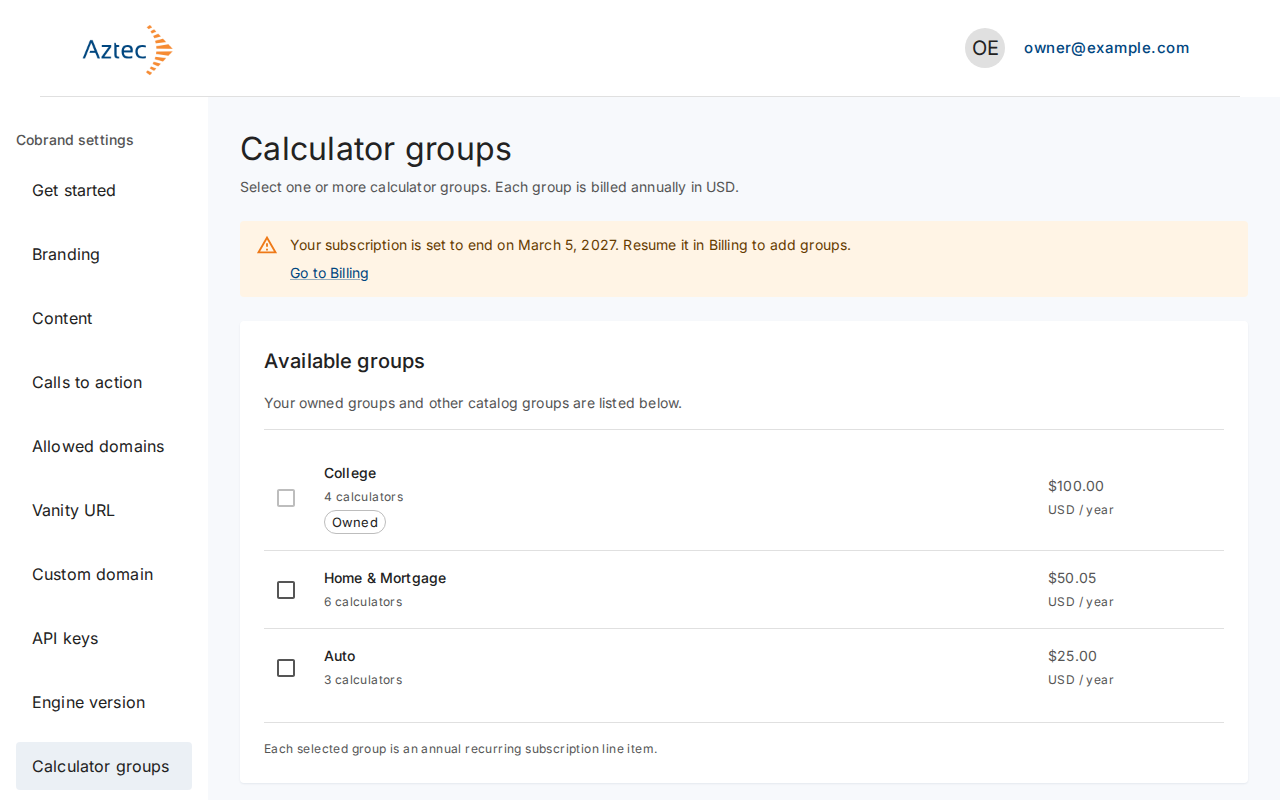
Your subscription is set to end. The page asks you to resume it in Billing before you add groups.
-
There's a problem with your last payment. Update your payment method in Billing.
-
The price changed. Review the new amounts and select Confirm and pay again.
-
We couldn’t load the price. Try again. If the dialog says these groups can no longer qualify, close it, refresh the page and choose again.