Switch your engine version
Switch to the latest calculation engine version from the portal.
Before you start
- Sign in to the portal as the owner of your account.
- A switch goes forward only. You can't go back to an older version.
Steps
-
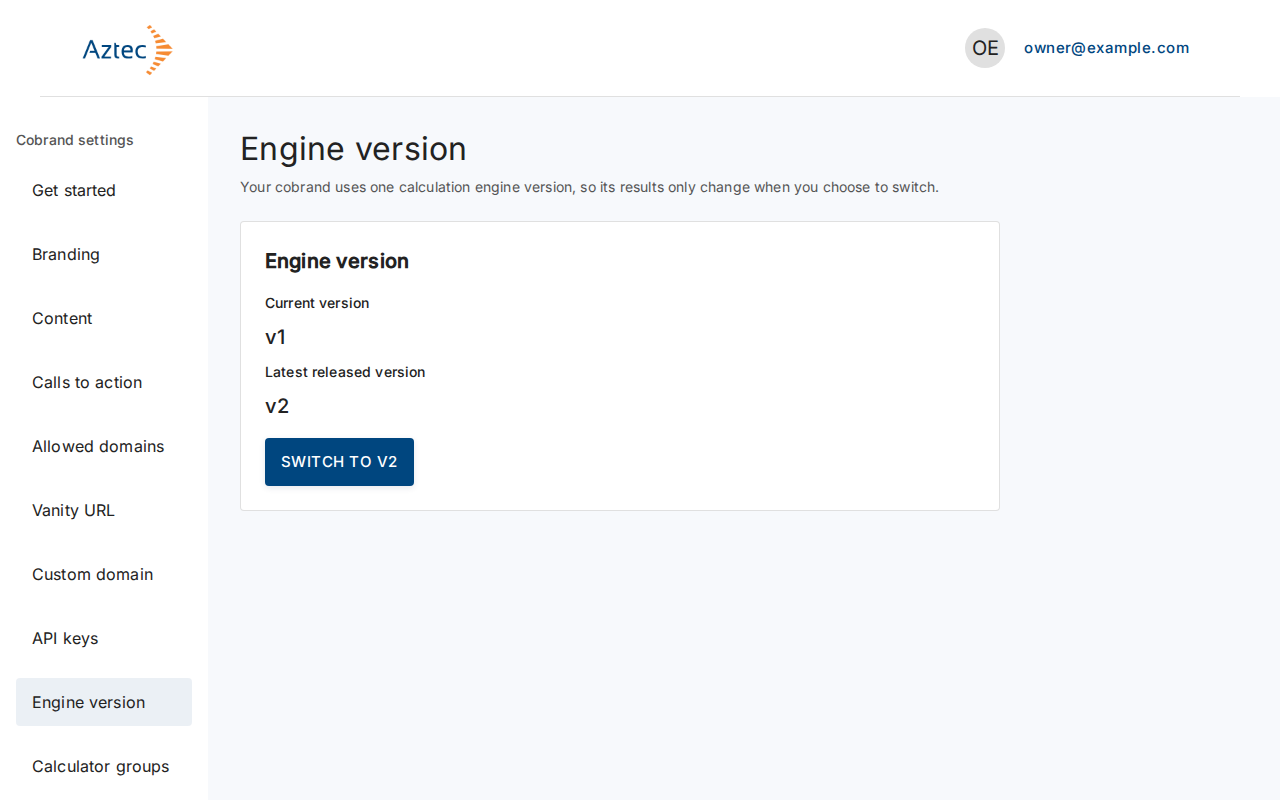
In the left navigation, select Engine version.
-
Compare Current version with Latest released version.
-
Select Switch to v2 (the button shows the latest version number).
-
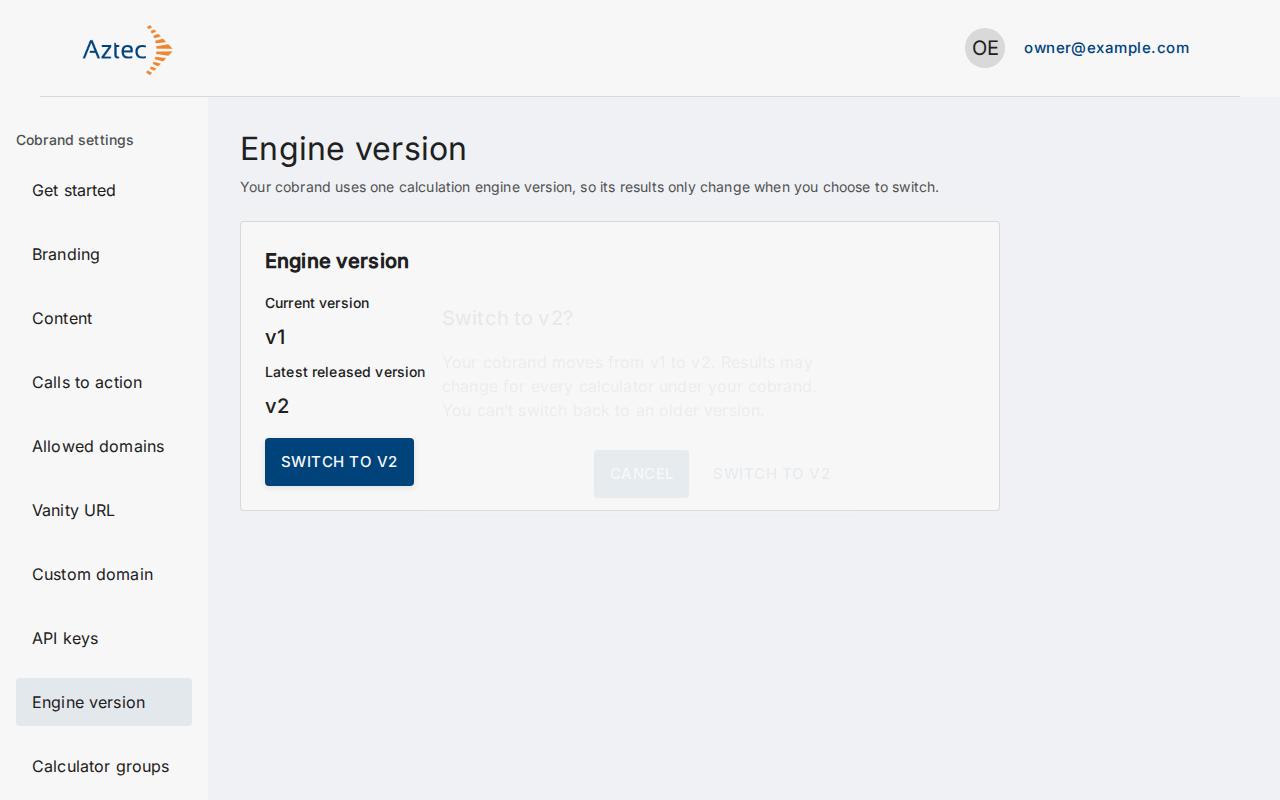
Read the confirmation: results may change for every calculator under your cobrand. Select Switch to v2 in the dialog to confirm, or Cancel to stay on your version.
What you see when it works
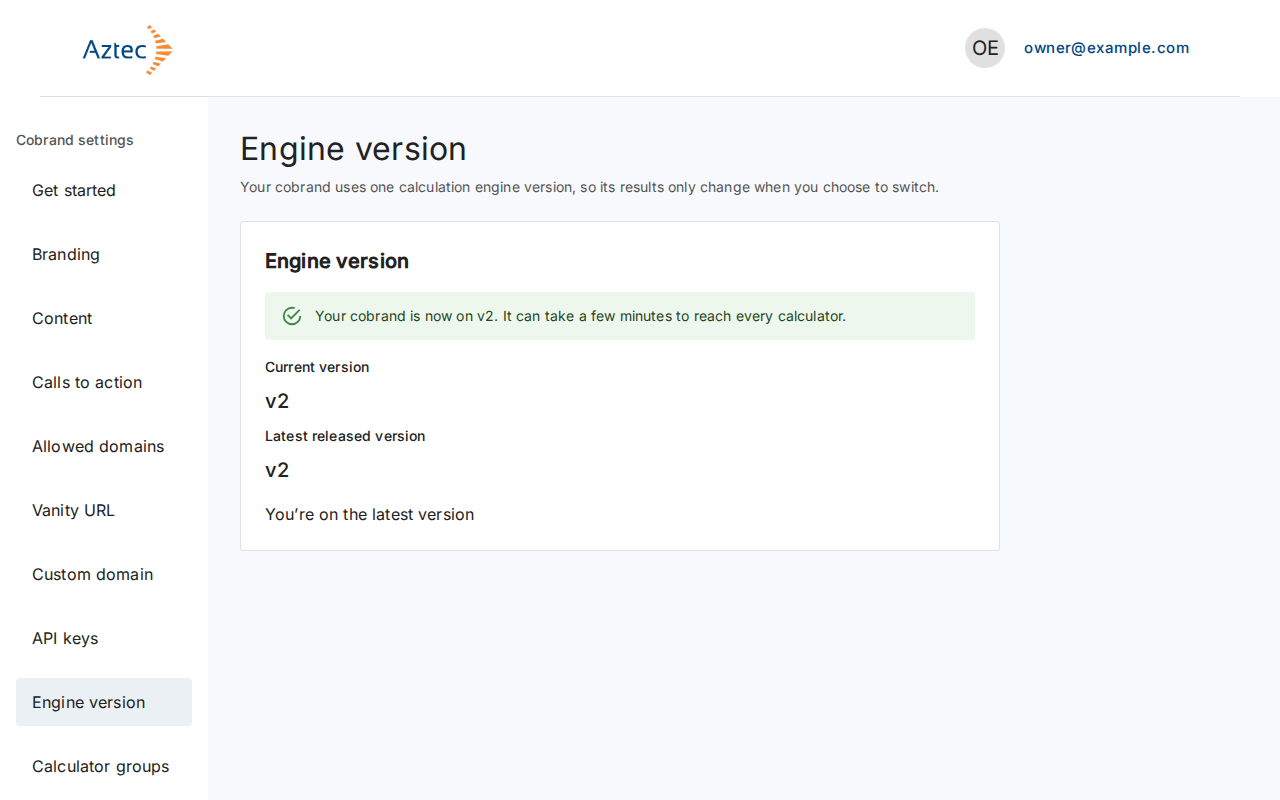
A message says your cobrand is now on the new version. The page then shows You’re on the latest version and no switch button.
Troubleshooting
- We couldn’t load your engine version. Please try again. Select Try again.
- Your change couldn’t save, please try again. Select Switch to v2 in the dialog again.
- Another tab or session changed the engine version. Select Refresh to see the current version, then switch again if you still want to.
- No switch button: you already use the latest released version.