Usage view
See how many calculations your calculators ran, by day and by calculator.
Before you start
- Sign in to the admin portal with your customer account. See Sign up and sign in.
- Make your calculators live. Counts start after the next nightly update. See Go-live artifacts.
Steps
-
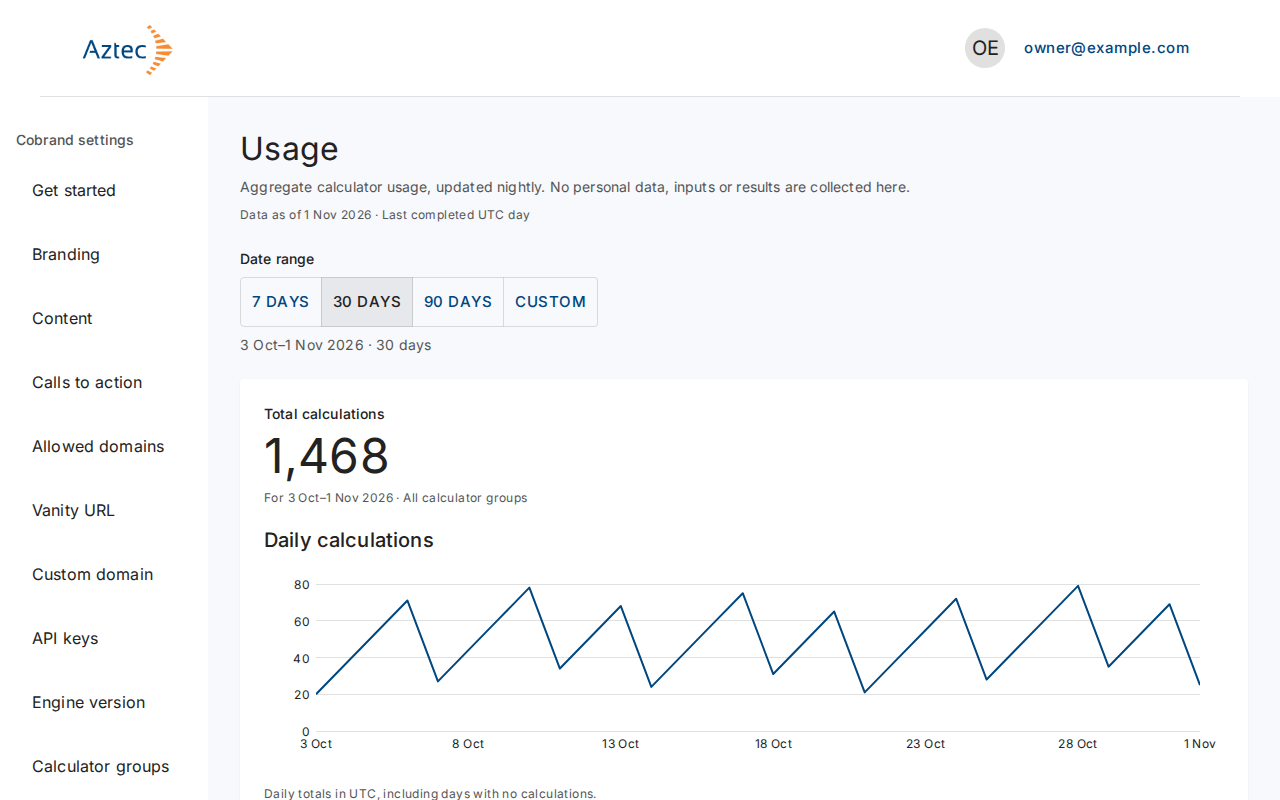
In Cobrand settings, select Usage. The page opens on the last 30 days and shows Total calculations and Daily calculations.
-
Under Date range, select 7 days, 30 days or 90 days.
-
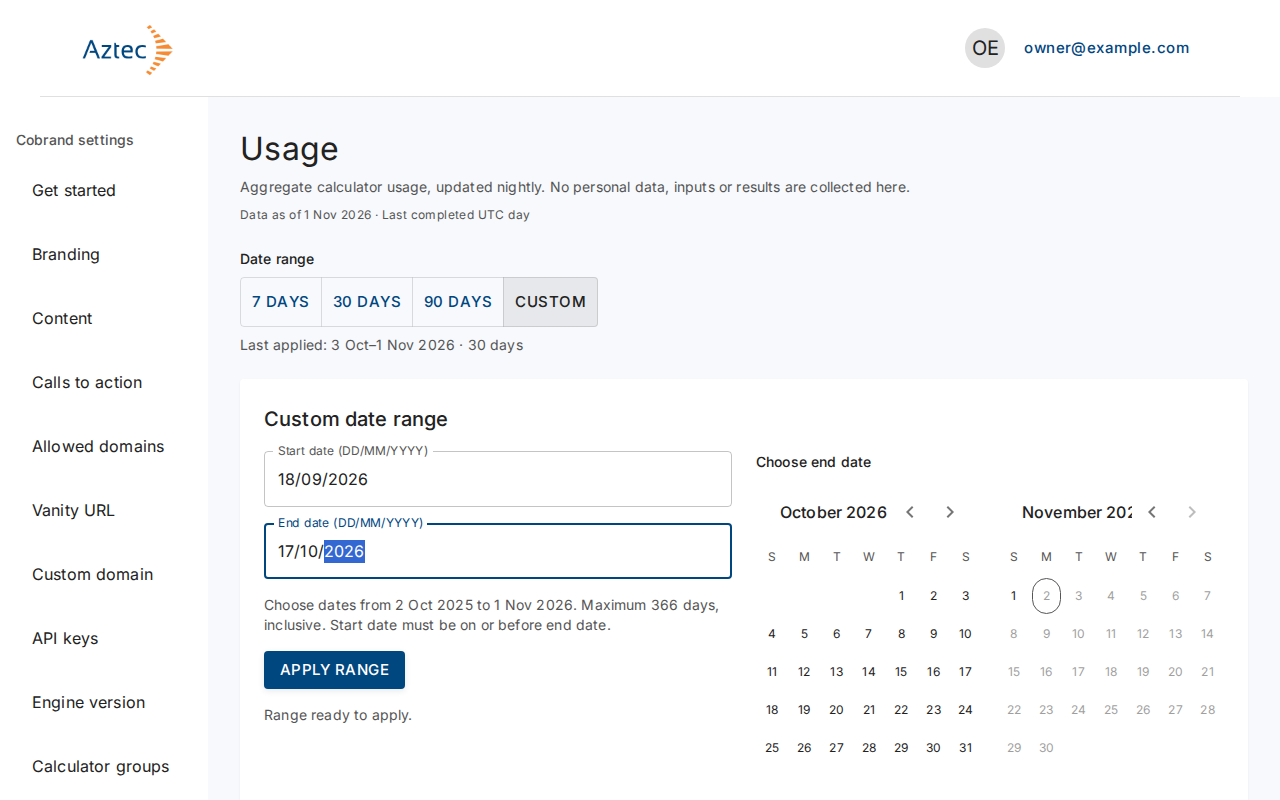
For other dates, select Custom. Type a start and end date as DD/MM/YYYY, or pick them in the calendar. A range can cover up to 366 days. Then select Apply range.
-
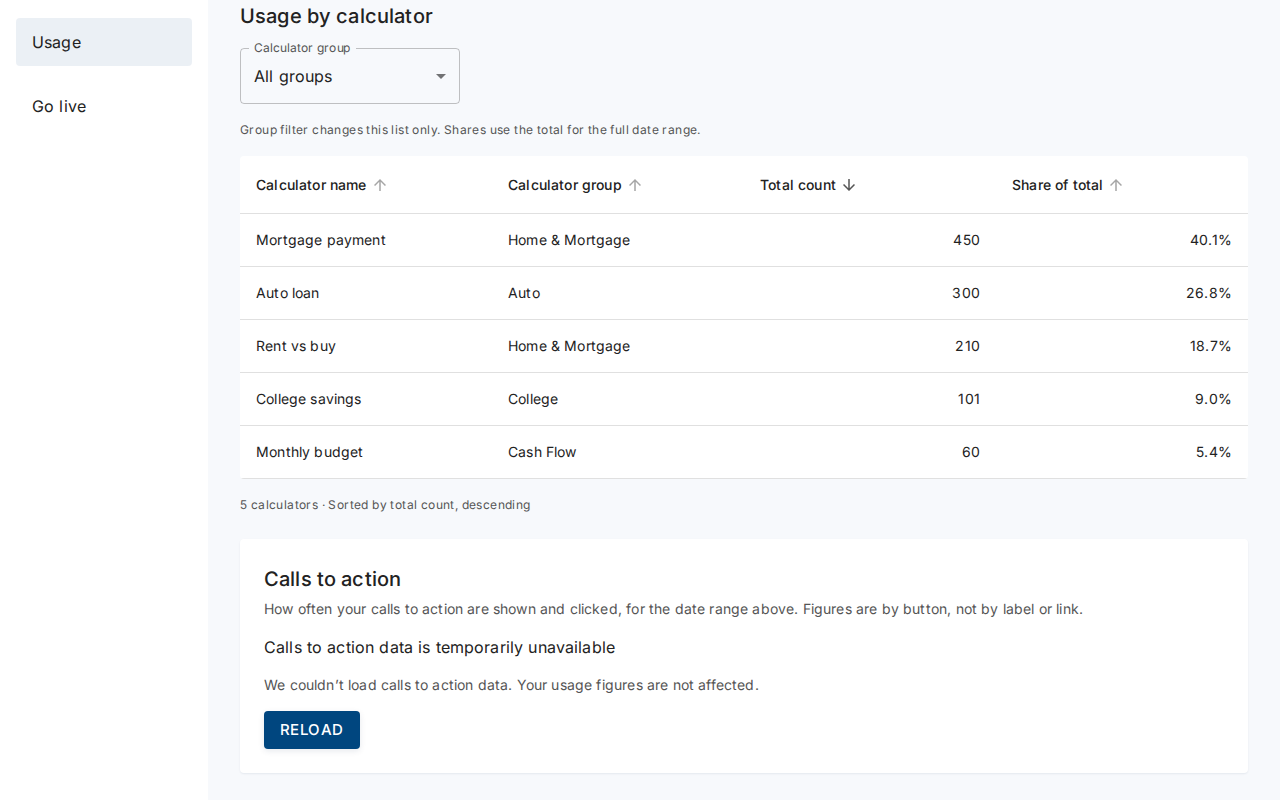
Scroll to Usage by calculator. Select a column heading to sort, or use Calculator group to show one group.
What you see when it works
- A total for the range, a chart of daily totals in UTC, and a table with each calculator's total count and share of the total.
- A line showing the Data as of date. The figures cover completed UTC days, so today's calculations don't appear yet.
- The page collects no personal data, inputs or results.
Troubleshooting
-
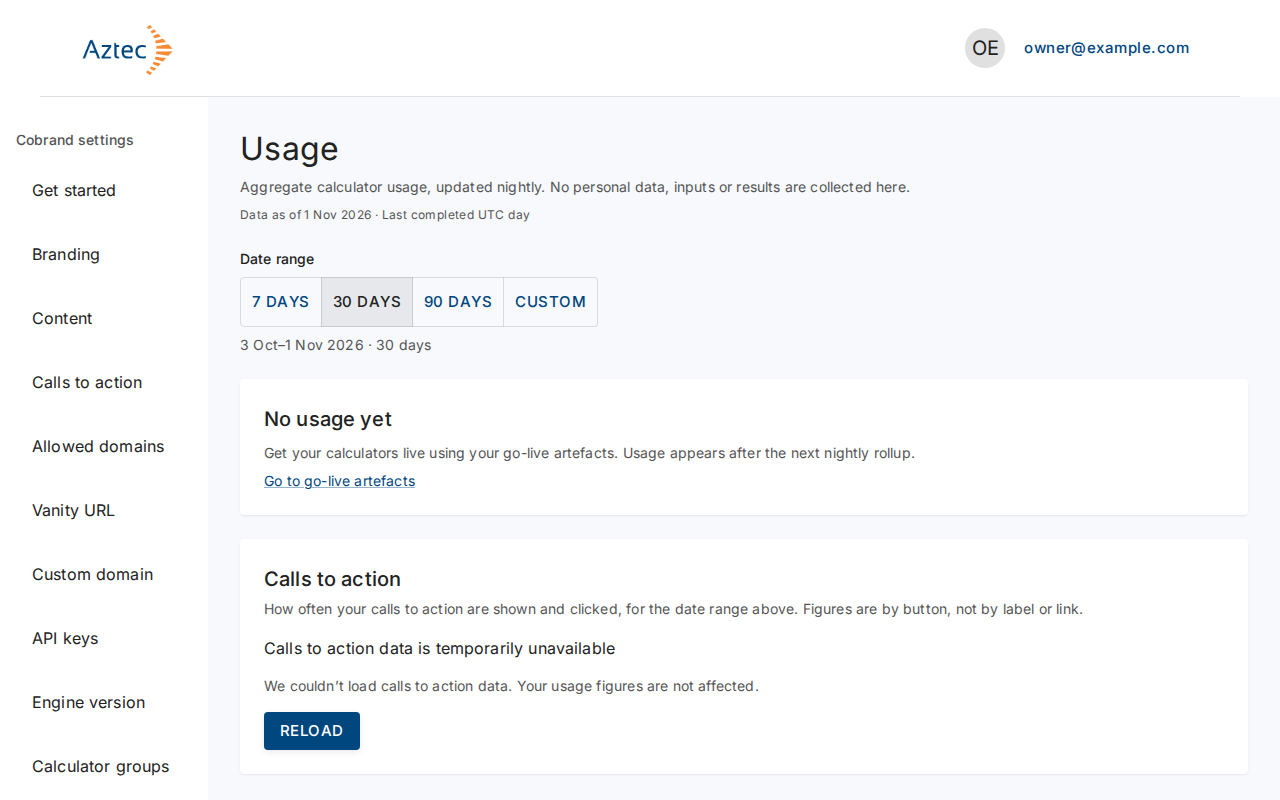
No usage yet. Your calculators haven't run. Select Go to go-live artifacts, and check back after the next nightly update.
-
No calculations in this period. Try 90 days or a wider custom range.
-
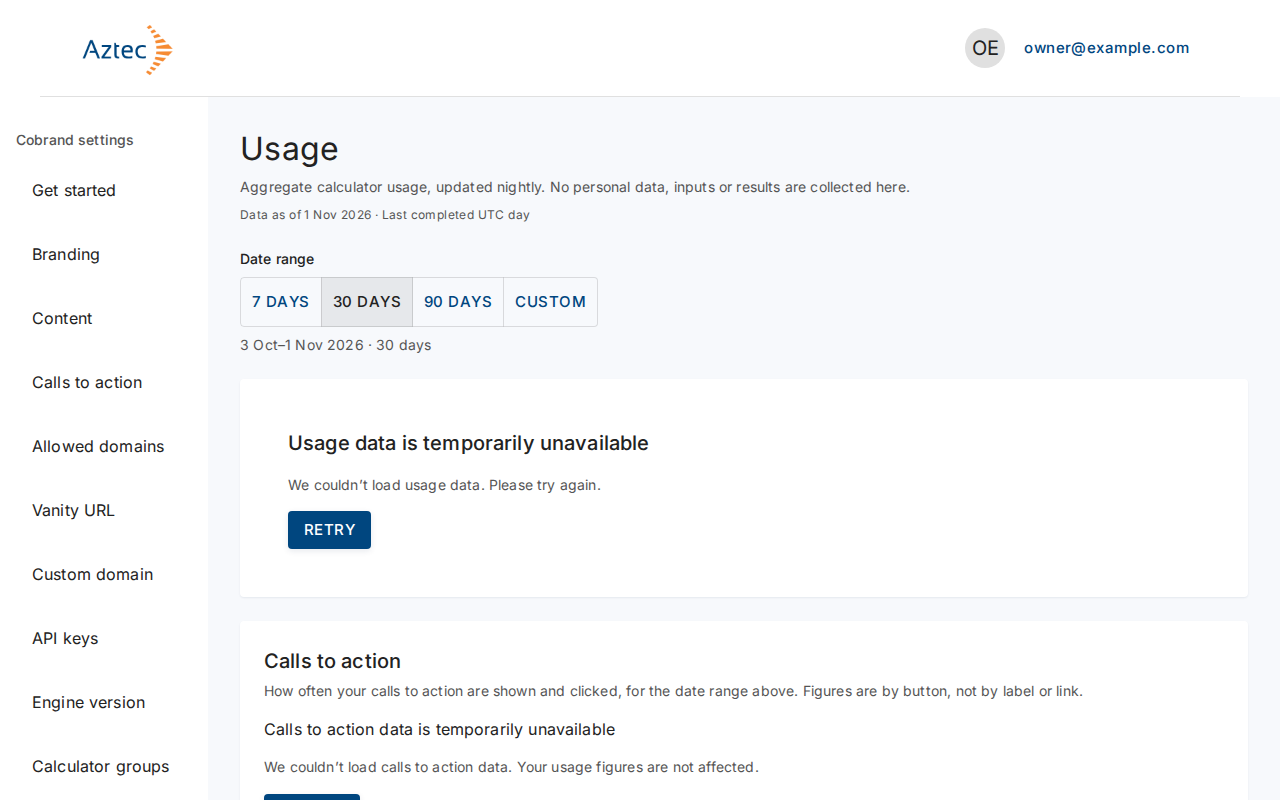
Usage data is temporarily unavailable. Select Retry.
-
Apply range stays off. Read the message under the dates: both dates must be valid, the start can't follow the end, and the range can't pass the limits.
-
That date range isn’t available. Showing the last 30 days instead. Pick a range inside the allowed dates.