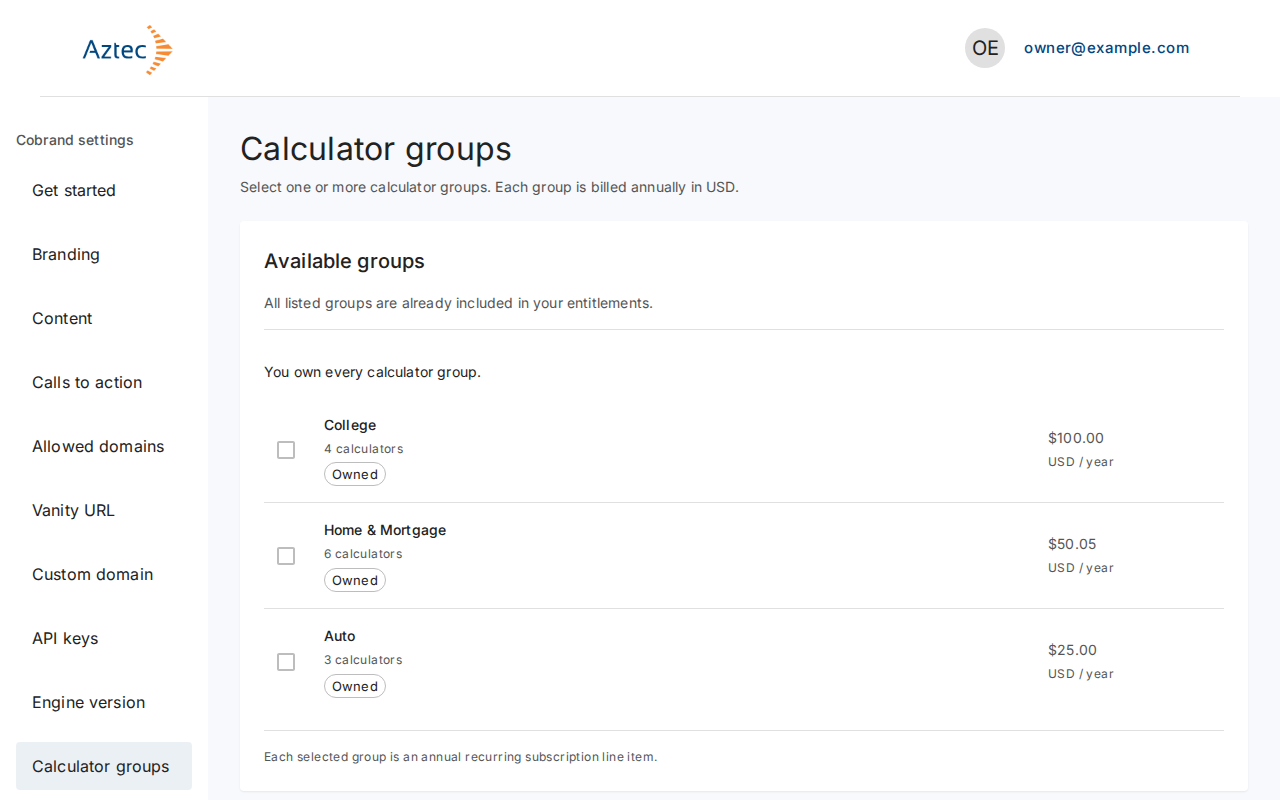
Buy calculator groups
Choose calculator groups and pay for them through Stripe-hosted Checkout.
Before you start
- Sign in to the customer portal. See Sign up and sign in.
- Have a payment card ready. The portal never collects payment details; Stripe does.
- Already have a subscription? Use Add groups to your subscription instead.
Steps
-
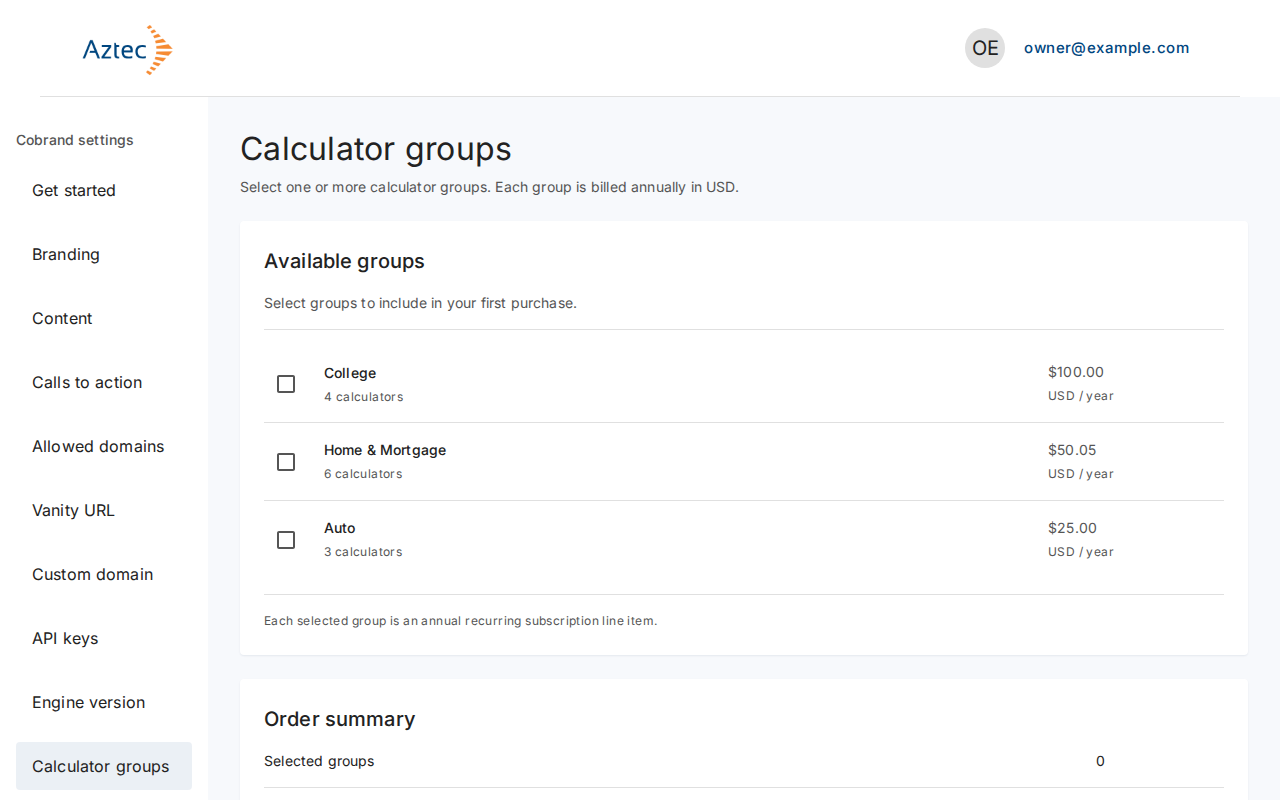
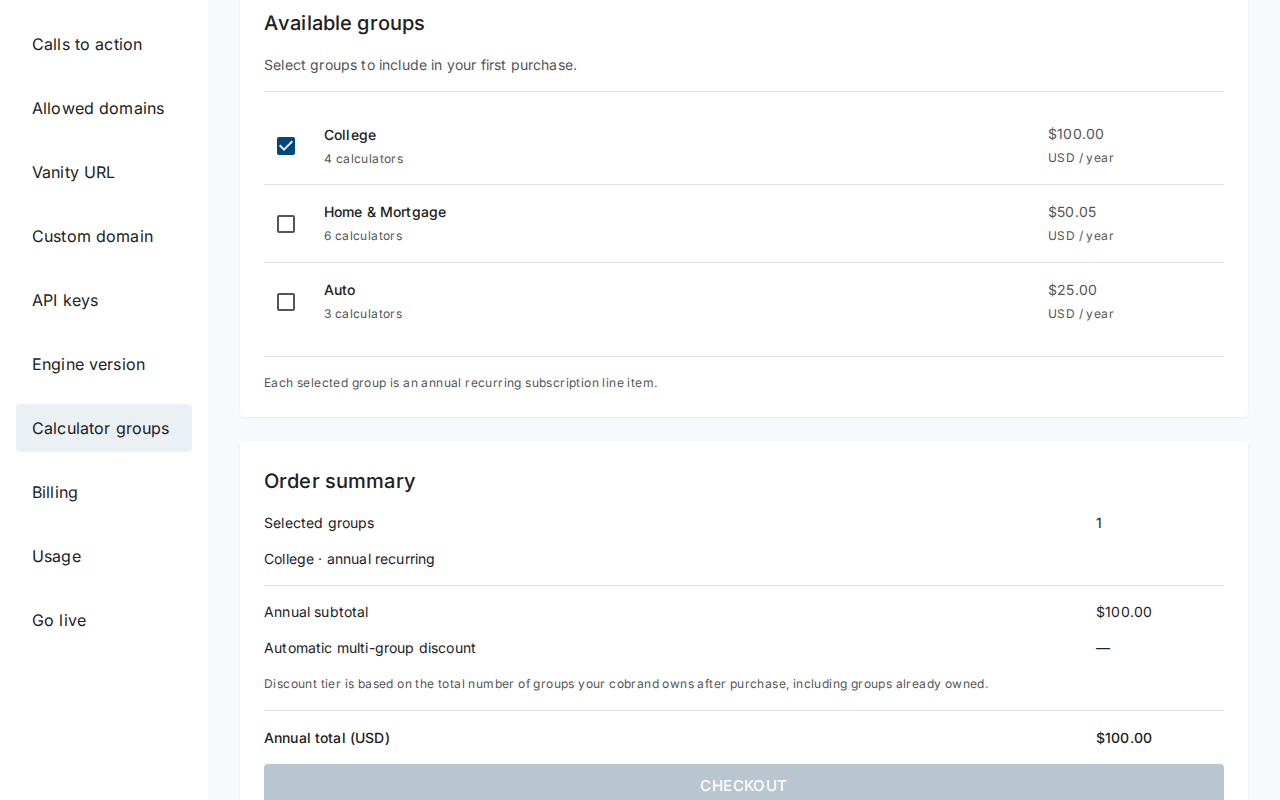
In the left menu, select Calculator groups. Each group shows its calculator count and price in USD per year.
-
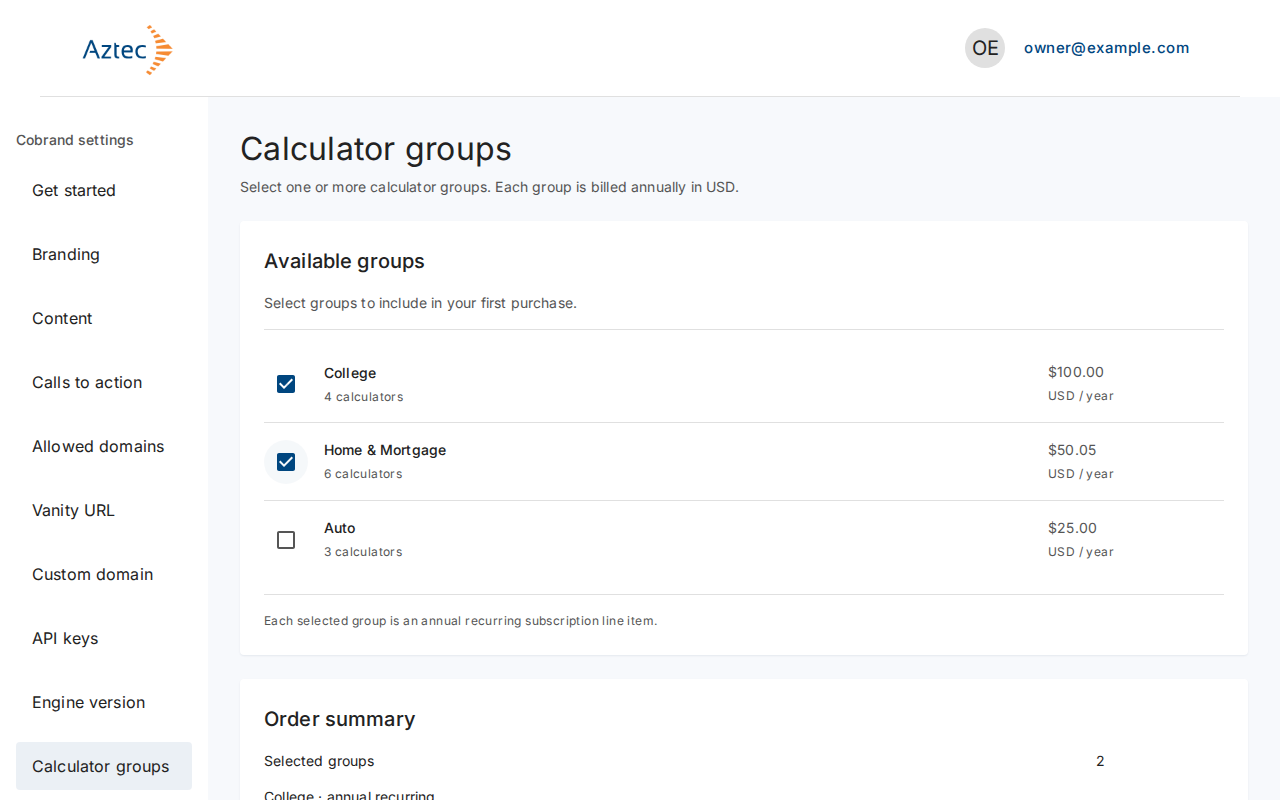
Tick one or more groups. The Order summary shows Selected groups, the Annual subtotal, the Automatic multi-group discount and the Annual total (USD). The discount tier depends on how many groups you will own after the purchase.
-
Select Checkout. Stripe opens. Enter your payment details and pay.
-
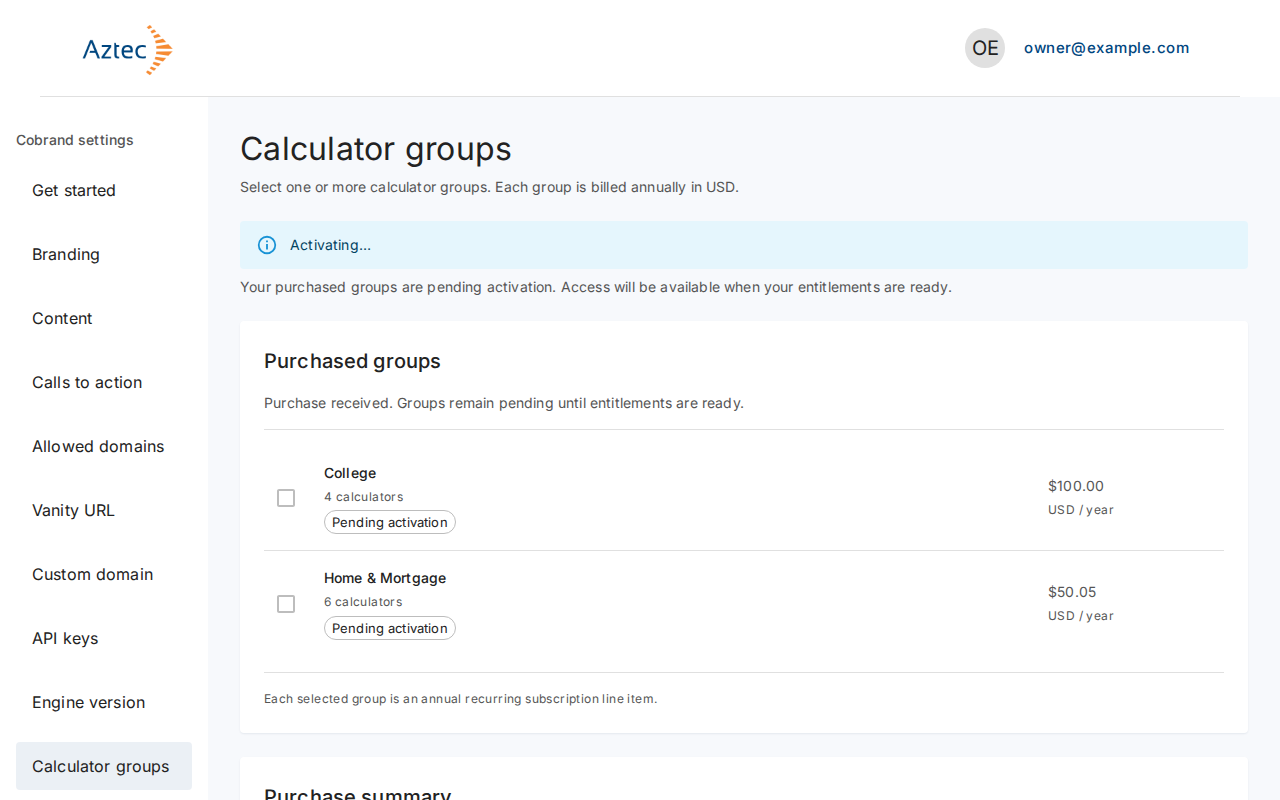
Stripe returns you to Calculator groups. Your groups show Activating… until your access is ready.
What you see when it works
Your groups show Owned and Purchased groups lists them. Activation can take a few minutes.
Troubleshooting
-
We couldn’t start checkout. Please try again. The page adds a note that no payment went through. Select Checkout again.
-
We couldn’t load calculator groups. Select Try again.
-
Your purchase is still activating. Select Refresh. If it still shows, select Contact support. Checkout stays off while a purchase activates, so you can't buy twice.
-
You own every calculator group. There is nothing left to buy.